AR glasses that read the room
By The Way
BTW is an OS for AR glasses that surfaces contextually-relevant nudges to help you throughout your day. It’s is not a phone replacement; rather than keeping you constantly connected, it uses on-device AI to understand your environment and deliver small, helpful reminders at the exact moment when you can actually complete them—present when you need it, invisible when you don’t. The result: fewer forgotten tasks, lighter cognitive load, and no additional screen vying for your attention.
Team
Makena Lyle
Cooper Baum
Josie Welin
Focus
Duration
10 days
YEAR
2025

Context
Why not just use my phone’s reminders?
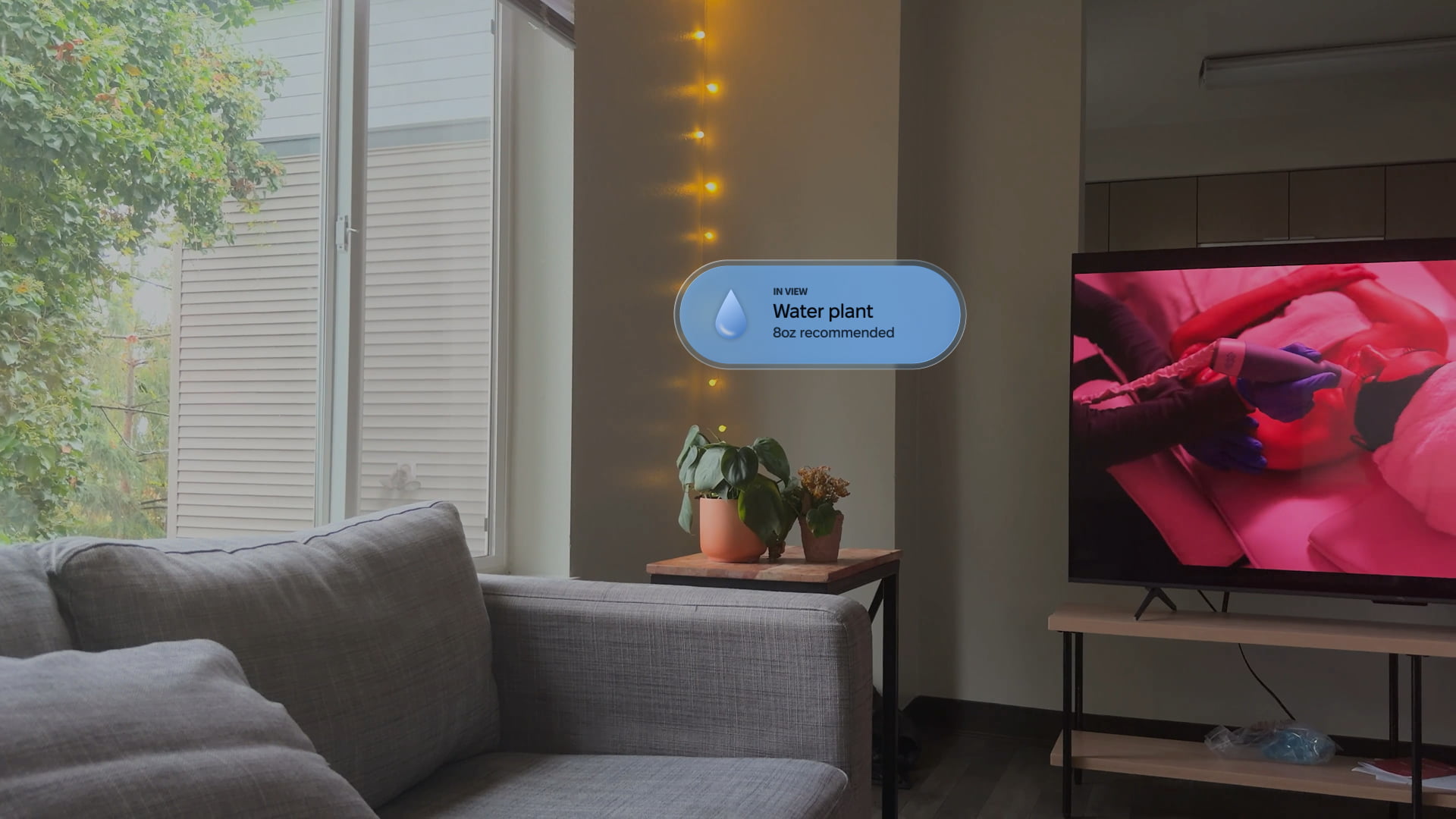
You set a reminder to water your plant in an hour. An hour later you get the reminder, but… you’re sitting down. And the plant is in another room. “I’ll do it in a sec.” That reminder now lives in your notification center, where you might see it again next time you sit down to relax and catch up on notifications.
What if reminders knew where you were, and what you were looking at?
The concept
Reminders that read the room…
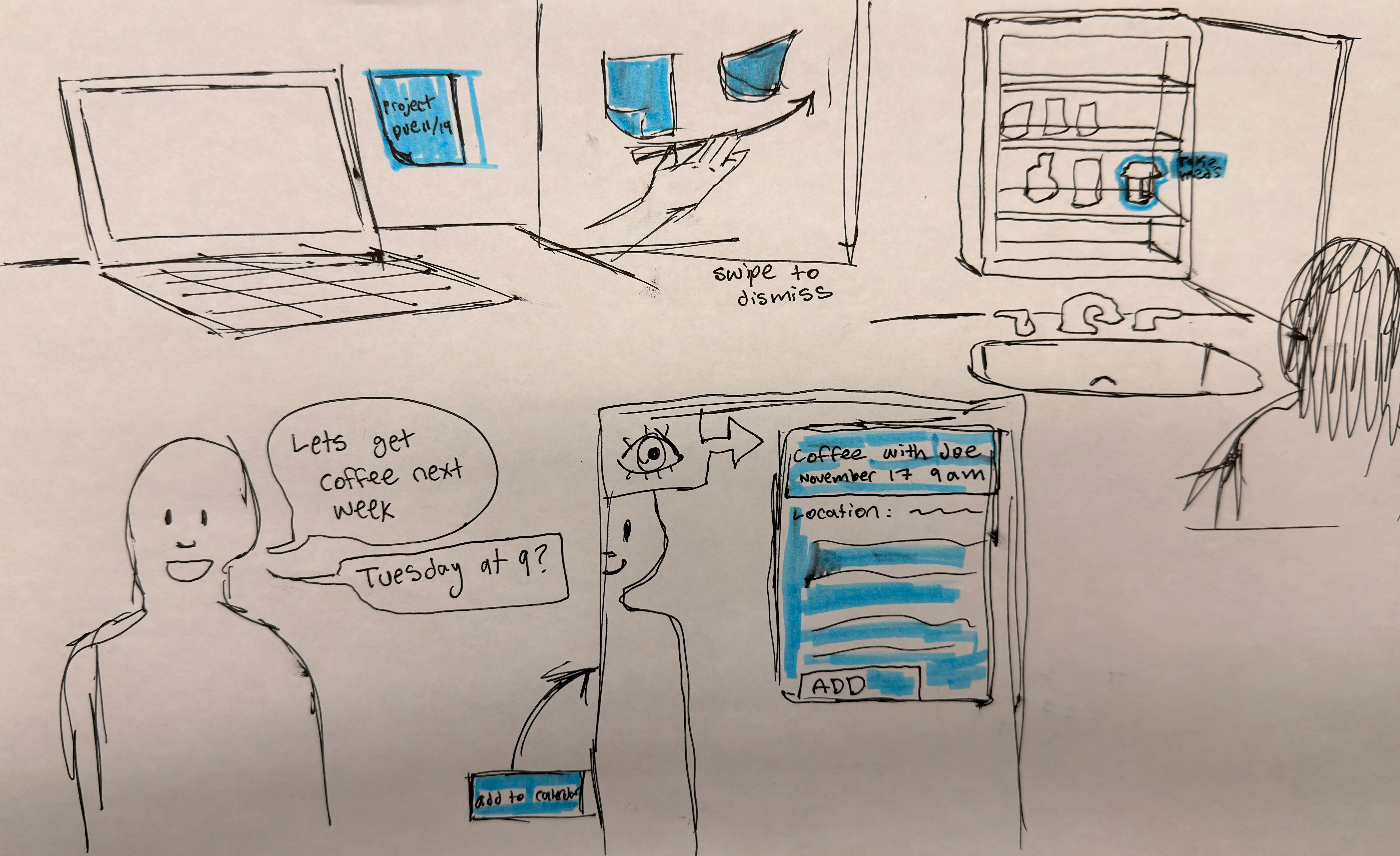
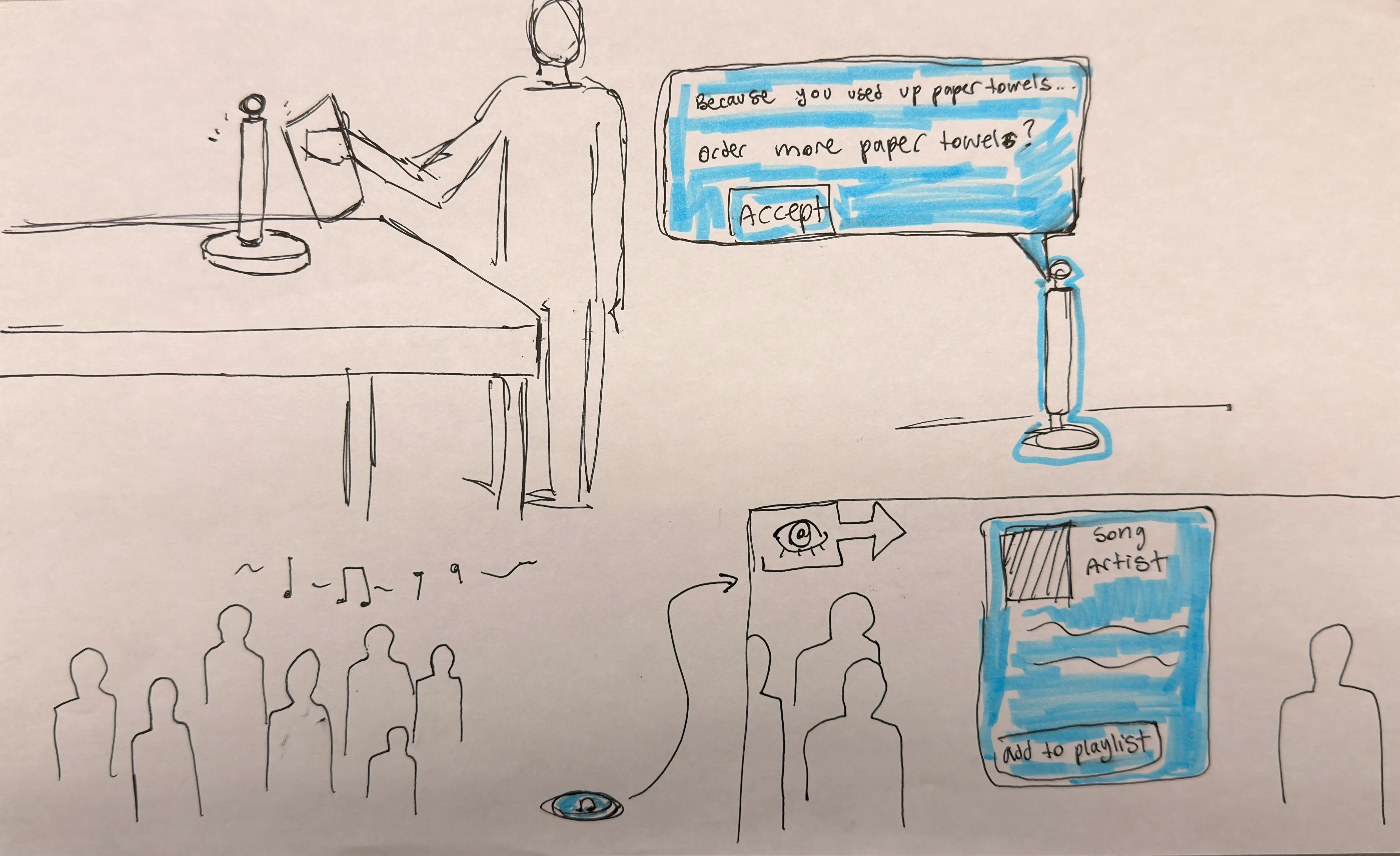
Recent advances in AI allow systems to understand context in new ways. BTW uses on-device AI to deliver reminders at the exact moment you can act on them. The system recognizes meaningful moments—when you’re near something that needs attention, in a place where you can complete a task, or making plans you don’t want to forget—and surfaces a quick action right in the moment. See your meds cabinet? Reminder appears. Sit at your desk? Here’s what’s due tomorrow. Mention dinner plans? Calendar event suggested.
User experience
How does it work?
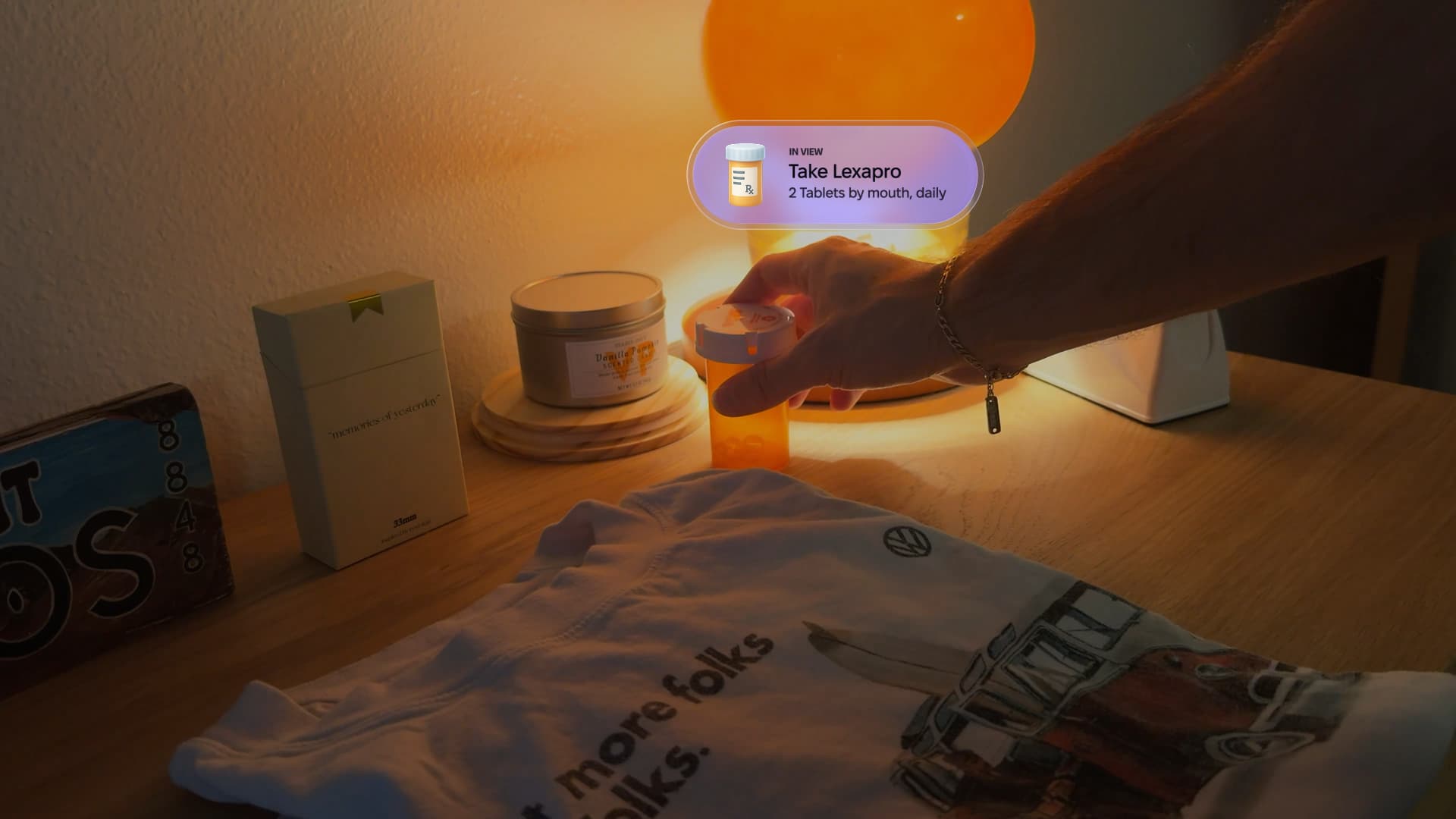
BTW runs quietly in the background until you need it. Reminders appear as subtle overlays physically anchored to relevant objects in your space. See a reminder floating by your daily meds? You know exactly what needs doing and where. The spatial connection removes the mental step of translating reminder to action and, more importantly, makes you far more likely to actually complete the task. You can act on reminders with a quick glance and a tap, or dismiss them with a wave.
There’s no chatbot to talk to, no commands to remember, no menus to navigate. The system simply observes the world as you do, surfaces relevant information, and gets out of your way. Over time, it learns which reminders you act on and adjusts accordingly, becoming more helpful without becoming more intrusive.
Interface design
Design of BTW
The design process for BTW was relatively quick because the interface is intentionally sparse and simple. Interface elements are designed to be both instantly recognizable and also extremely lightweight to avoid inundating the user with distracting digital elements popping in and out of their field-of-view.
Nudges start in a circular, collapsed view that includes only an icon. When you look directly at one, it expands to reveal more detail: the context that triggered it (object in view, location, conversation, etc.), the reminder itself, secondary information that varies by reminder type, and a single button to interact with the nudge. BTW also supports a larger text format for contextual lists—like your shopping list as you walk into a grocery store or your to-do list as you sit down at your desk.
The rationale
A different approach
We started with a simple question: would this actually make life easier? In the world of Apple Vision Pro and Meta’s new AI-powered Ray-bans, it seems like everyone is trying to make a phone replacement you can wear on your face, but these devices feel like solutions in search of a problem. As a current Apple Watch Wearer, I already feel too connected to my phone—having notifications literally pop into my field-of-view could not sound less desirable.
BTW envisions a future where wearable tech is not just another way to get notified about work emails and general hustle and bustle, but instead something that fades completely into the background—there when you need it, invisible when you don’t. Technology works best when it adapts to your life, not the other way around.